Context
Runbook to build the LPO application after Push data to AIF Apps is validated. Every job below runs on the AIF APPS Standalone schedule. The two UI-driven parts have their own notes — Build the LPO business rules and Set up the LPO forecast.
Order: load the files, run PRO_MASTER_ADHOC_PROCESS, set the business rules, set up the forecast, then create and optimize the runs.
Quick access
- Open a job in POM — navigation used by every step below.
- 1 Load LPO-specific files —
INPUT_FILES_ADHOC_PROCESS.- 2 Load seasons and price ladders —
PRO_MASTER_ADHOC_PROCESS.- 3 Create and optimize the runs —
PRO_OPT_CREATE_RUNS_ADHOC_PROCESS,PRO_OPT_ADHOC.- Validate LPO structures
Open a job in POM
Steps 1, 2 and 3 all run this way — only the process name and the parameter string change.
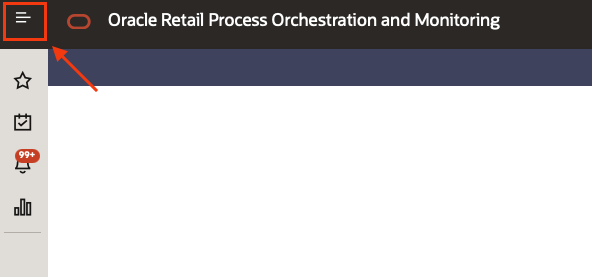
- In POM, click on the top left menu.
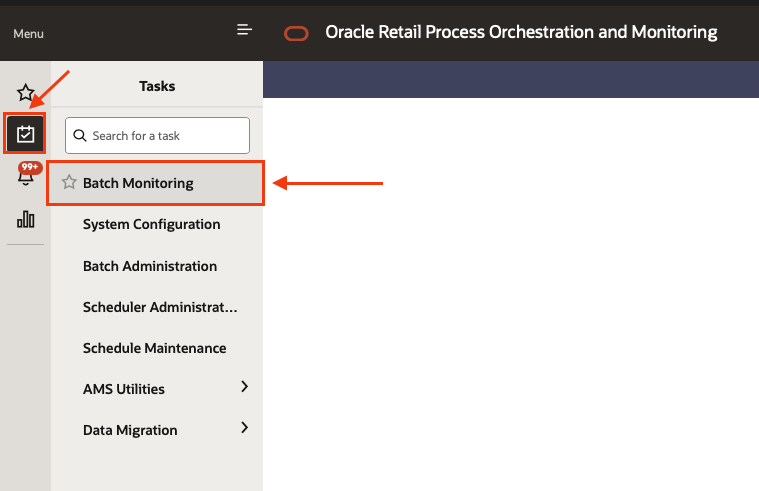
- Select the sub menu Tasks and then Batch monitoring.
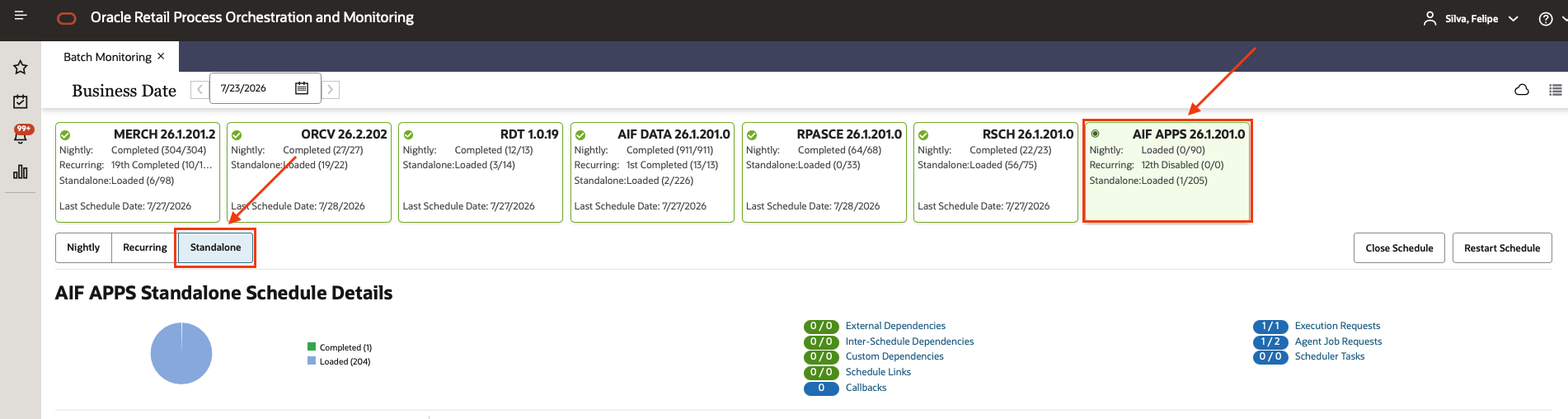
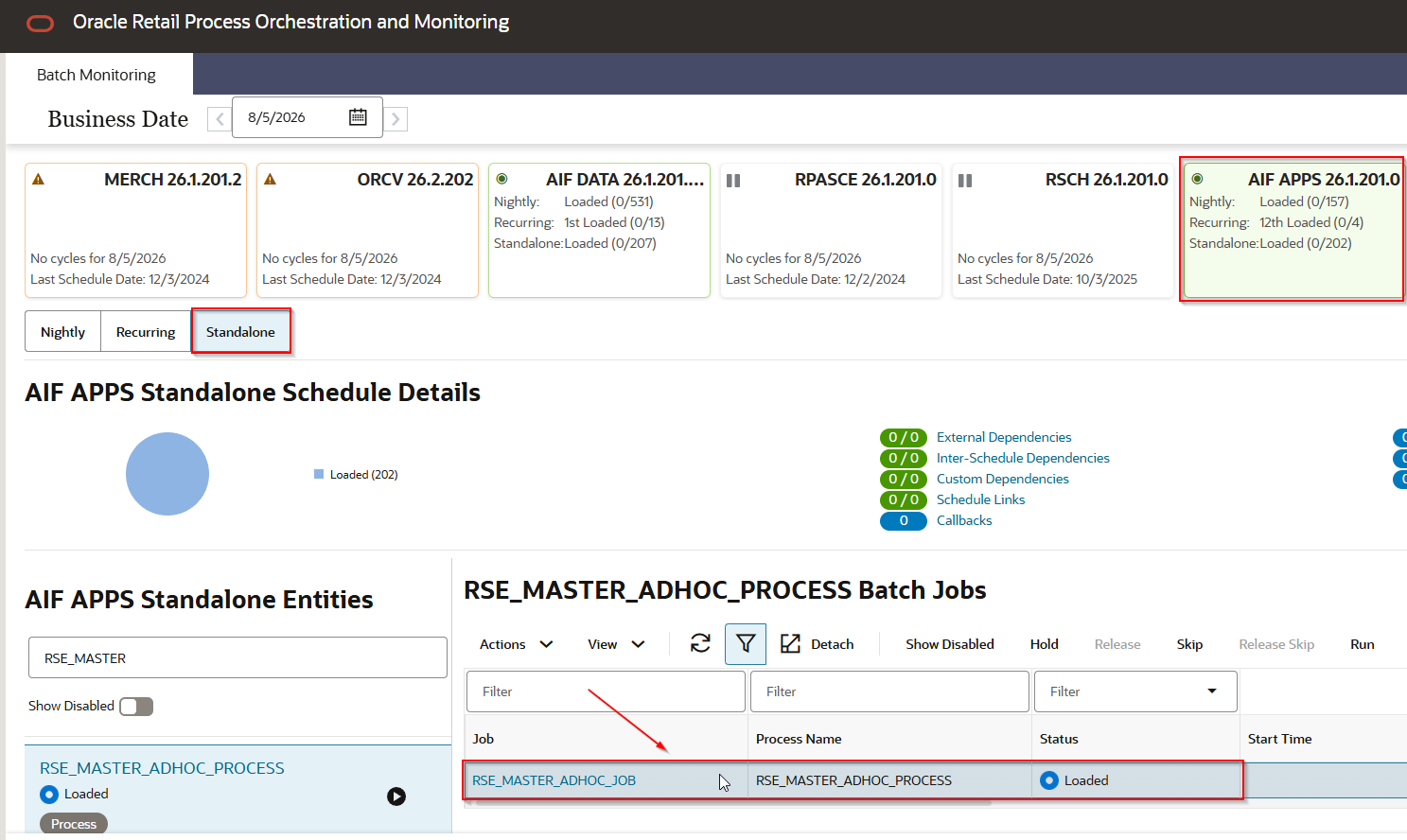
- Select the AIF APPS scheduler, and then the Standalone chain.
- Using the filter box at the top of the Standalone list, type the process name for the step you are on and click on the matching process. Do not click the “play” button yet.
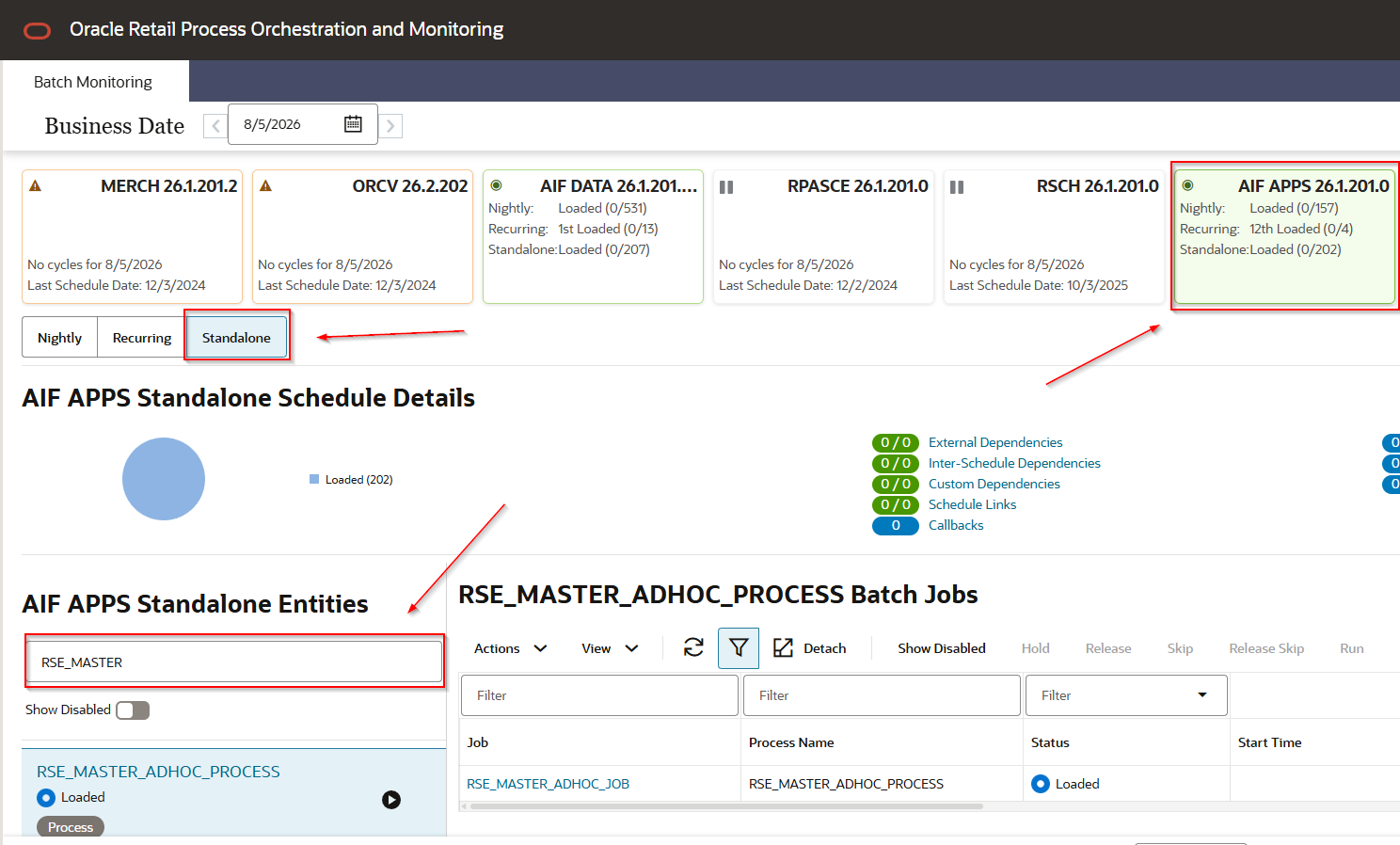
- Select the job under the process.
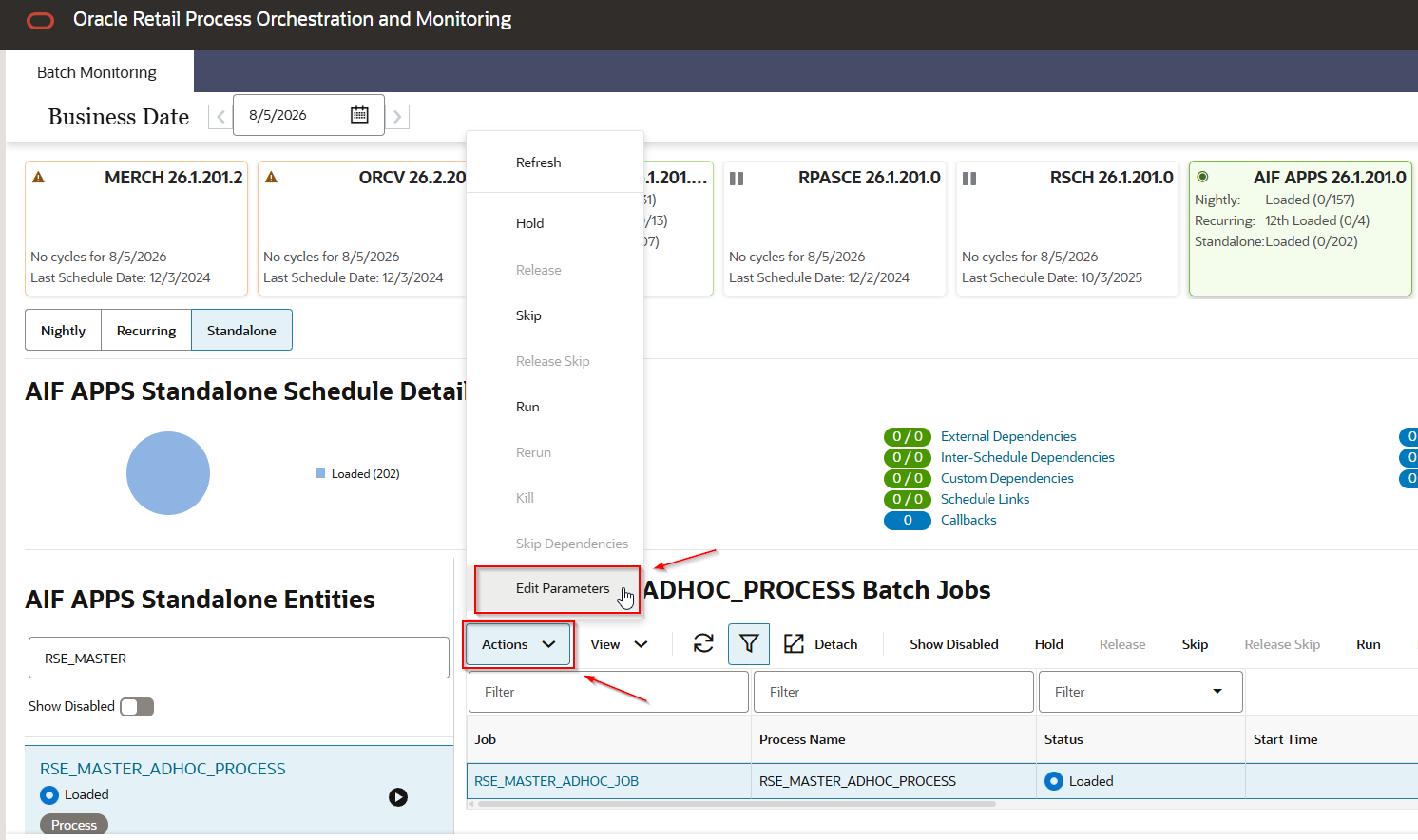
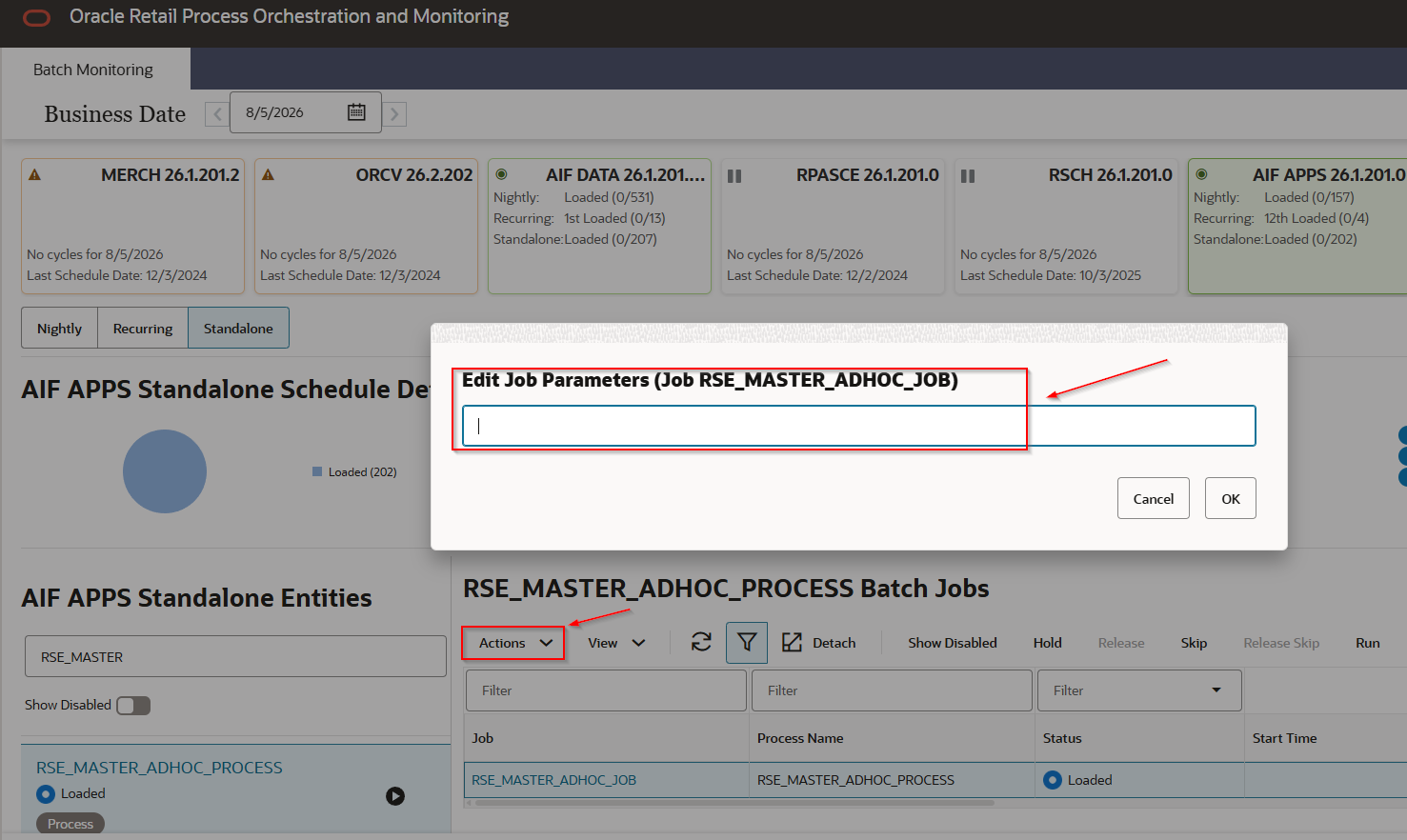
- Click Actions and then Edit Parameters, paste the parameter string, and save with OK. Skip this when the step takes no parameters.
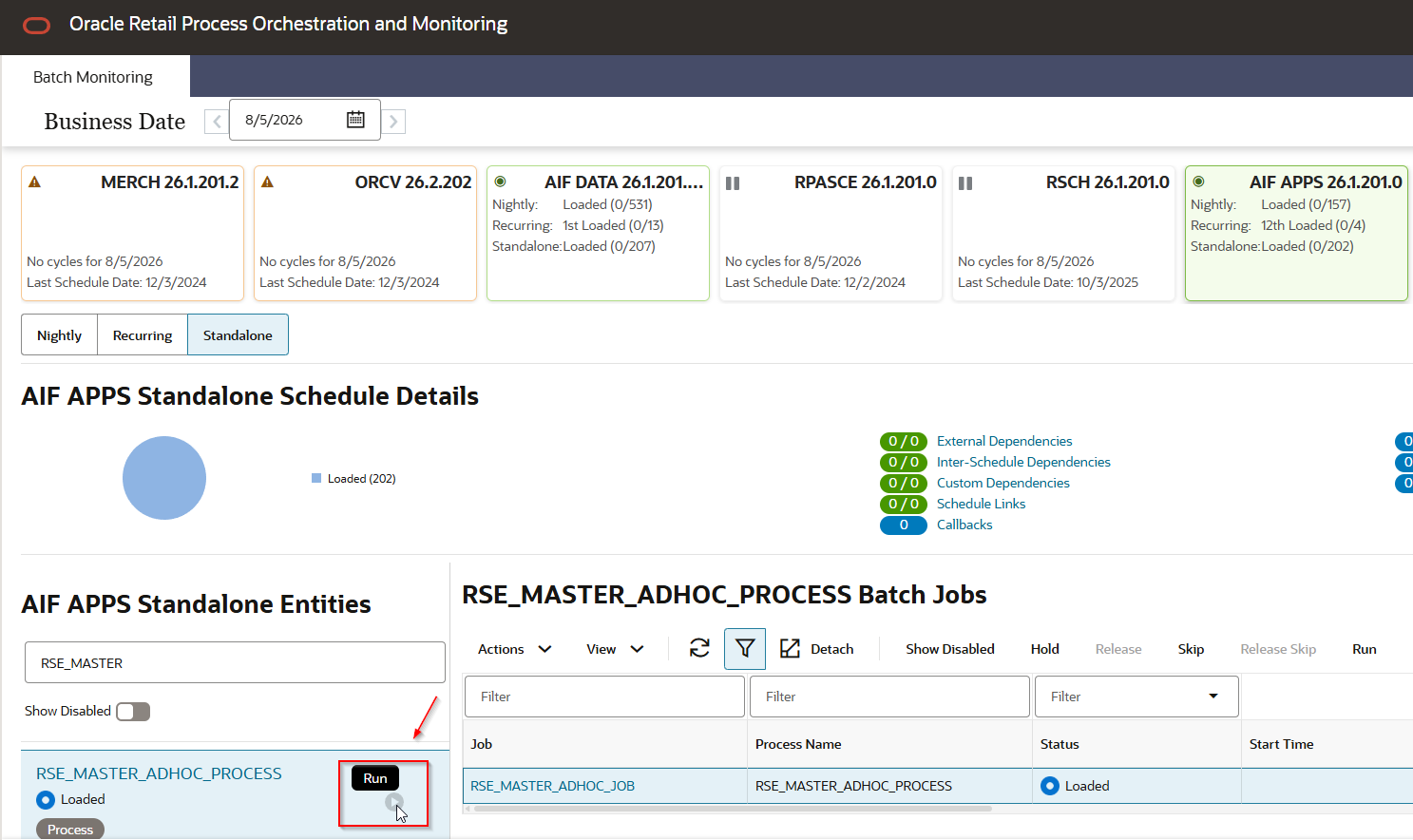
- Click Run, then refresh until the status reaches Complete.
1. Load LPO-specific files
Season, season period, season product and price ladder do not come through RI — they are staged directly into AIF Apps.
- Prepare the staging files and zip them into
ORASE_WEEKLY_ADHOC.zip:PRO_SEASON_STGPRO_SEASON_PERIOD_STGPRO_SEASON_PRODUCT_STGPRO_PRICE_LADDER_STG
- Upload the ZIP using File Transfer Service (FTS).
- Run
INPUT_FILES_ADHOC_PROCESSwith no parameters. Takes about a minute.
2. Load seasons and price ladders
PRO_MASTER_ADHOC_PROCESS moves the staged data into the PRO_* tables. Same one-character-flag pattern as RSE_MASTER_ADHOC_PROCESS.
On a from-scratch implementation, run -A (process all steps) — Oracle describes it as the best option for the initial processing of the LPO module, and it guarantees nothing is missed.
The four steps matching the files loaded in 1 Load LPO-specific files:
| Flag | Step |
|---|---|
-s | Season |
-d | Season Period |
-P | Season Product |
-L | Price Ladder |
These steps are also mandatory — without them LPO has no demand parameters to optimize against. They read no implementation file: they derive from the data already pushed from RI, so they run fine even though only the four files above were loaded.
| Flag | Step | Why it is required |
|---|---|---|
-i | Inventory Aggregation | Without inventory the LPO runs fail |
-C | Price and Cost for Promotion/Markdown | Ticket price and cost, used by the min-cost rules |
-e | Price Elasticity | Price effect in the demand model |
-b | Baseline | Base demand |
-y | Seasonality | Seasonality curve in the demand model |
-D | Model Dates | Item start date, picks the seasonality partition |
-r | Sales Return | Returns parameters, when returns are in scope |
Full ~30-flag list: Operations Guide — Master Data Load - LPO.
Steps reading interfaces that were not loaded — planned promotions, forecast adjustment, warehouse allocation, flex facts, regular-recommendation variants — will fail. The Operations Guide documents two ways to handle this rather than listing the wanted flags one by one:
- Repeating a flag after
-Atoggles that step off.-AbPruns everything except Baseline and Season Product. -R <flag>resumes from the step matching that flag, running it and everything after it.
Expected failures are not documented
Oracle documents
-A, the toggle and-R, but not what a step does when its interface file is absent — whether it errors and stops the chain, errors and continues, or skips silently. Confirm the behaviour on the first run and record which steps failed, then decide between toggling them off or resuming with-R. Never toggle off a step from the mandatory table above.
Check PRO_SEASON, PRO_SEASON_PERIOD, PRO_SEASON_PRODUCT, PRO_PRICE_LADDER and PRO_PRICE_LADDER_DTL before moving on.
Next, before creating any run: Build the LPO business rules, then Set up the LPO forecast.
3. Create and optimize the runs
Only after the business rules are final and the forecast is approved and mapped to LPO.
- Run
PRO_OPT_CREATE_RUNS_ADHOC_PROCESSwith theFORCEoption, which creates the LPO runs for all merchandise and location/price zones. - Run
PRO_OPT_ADHOCwith no parameters — the ad hoc job already includes every step needed to calculate the optimization results. (The Implementation Guide walkthrough mentions a-batchoption, but the Operations Guide job reference states no parameters are used.)
Recommendations land in PRO_RUN_RECOM_OPT_RESULT.
Validate LPO structures
select * from PRO_SEASON;
select * from PRO_SEASON_PERIOD;
select * from PRO_SEASON_PRODUCT;
select * from PRO_PRICE_LADDER;
select * from PRO_PRICE_LADDER_DTL;
select * from PRO_RUN_RECOM_OPT_RESULT;
An empty PRO_RUN_RECOM_OPT_RESULT means the optimization produced no recommendations — check the PRO_OPT_ADHOC job log in POM.
Related
- AIF Apps implementation
- How to run a POM standalone job
- Build the LPO business rules
- Set up the LPO forecast
- Push data to AIF Apps
- Push information from Retail Insights to AIF APPS
- RSE_CONFIG parameters — the
PRO_*values set at P&C - Validate AIF Apps historical facts