Ask AIAnswers come from this vault — the runbooks and the Oracle mirror.
Answers are grounded in this vault — the runbooks and the Oracle mirror. Where the sources only cover it indirectly, the reply says so and shows what it reasoned from: treat that as a lead, not a fact. When nothing bears on the question at all it replies NOT IN THE SOURCES. Verify anything before running it against a client environment.
Runbook to set the current business date in AIF DATA. The table W_RTL_CURR_MCAL_G tracks the day of the fiscal calendar that all processing is relative to. Its key value is MCAL_NUM on the row where MCAL_TYPE = 'DT' — a YYYYMMDD date that every job in the AIF DATA batch schedule (POM) references whenever it needs a date.
During the initial dimension load you move this date back into the past, to the point where your historical data starts. That past date must fall within the range of the loaded calendar (see Calendar initialization using MFCS integration).
This date drives the whole schedule
MCAL_NUM (on MCAL_TYPE = 'DT') is referenced by every dated job in the AIF DATA batch schedule, so it impacts many implementation activities. Set it deliberately and confirm it with the verification in the last step.
Set the business date via POM
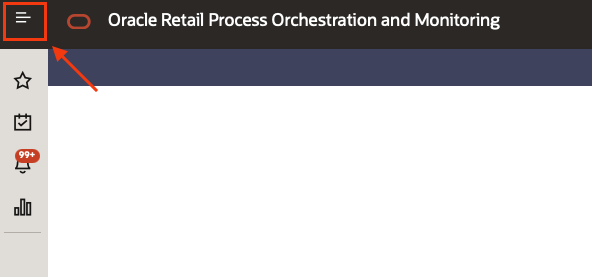
Accessing POM click on the top left menu
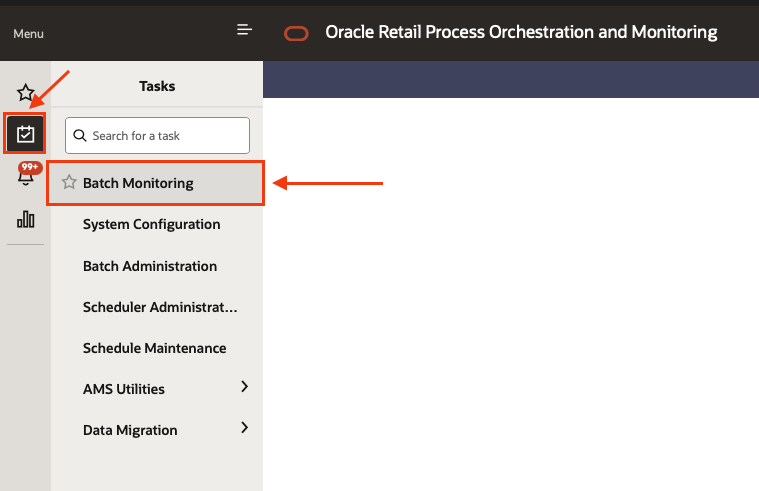
Select the sub menu “Tasks” and then “Batch monitoring”
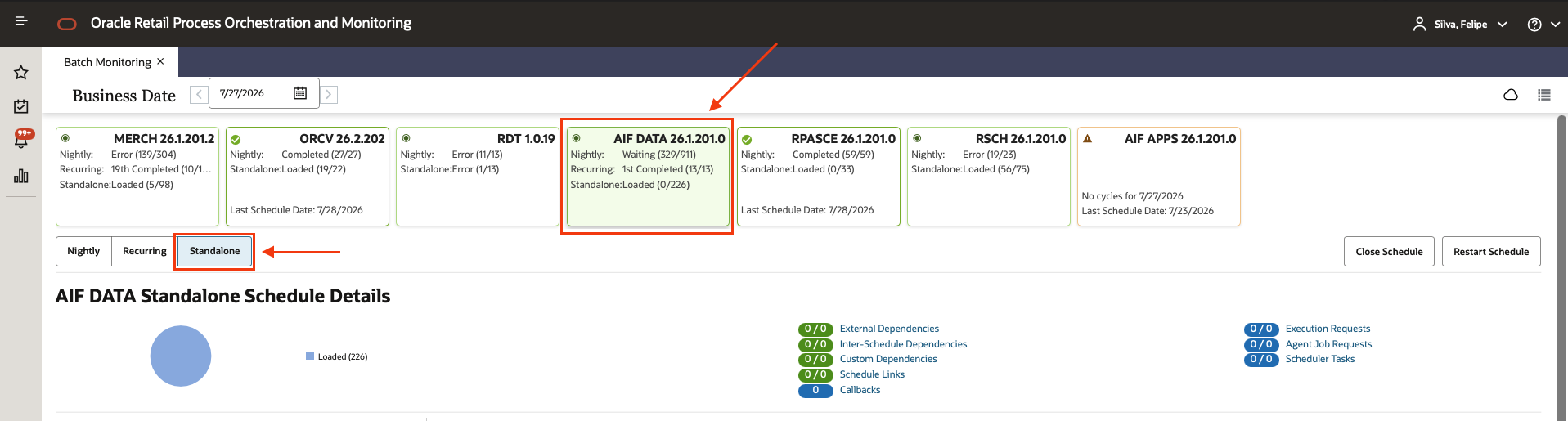
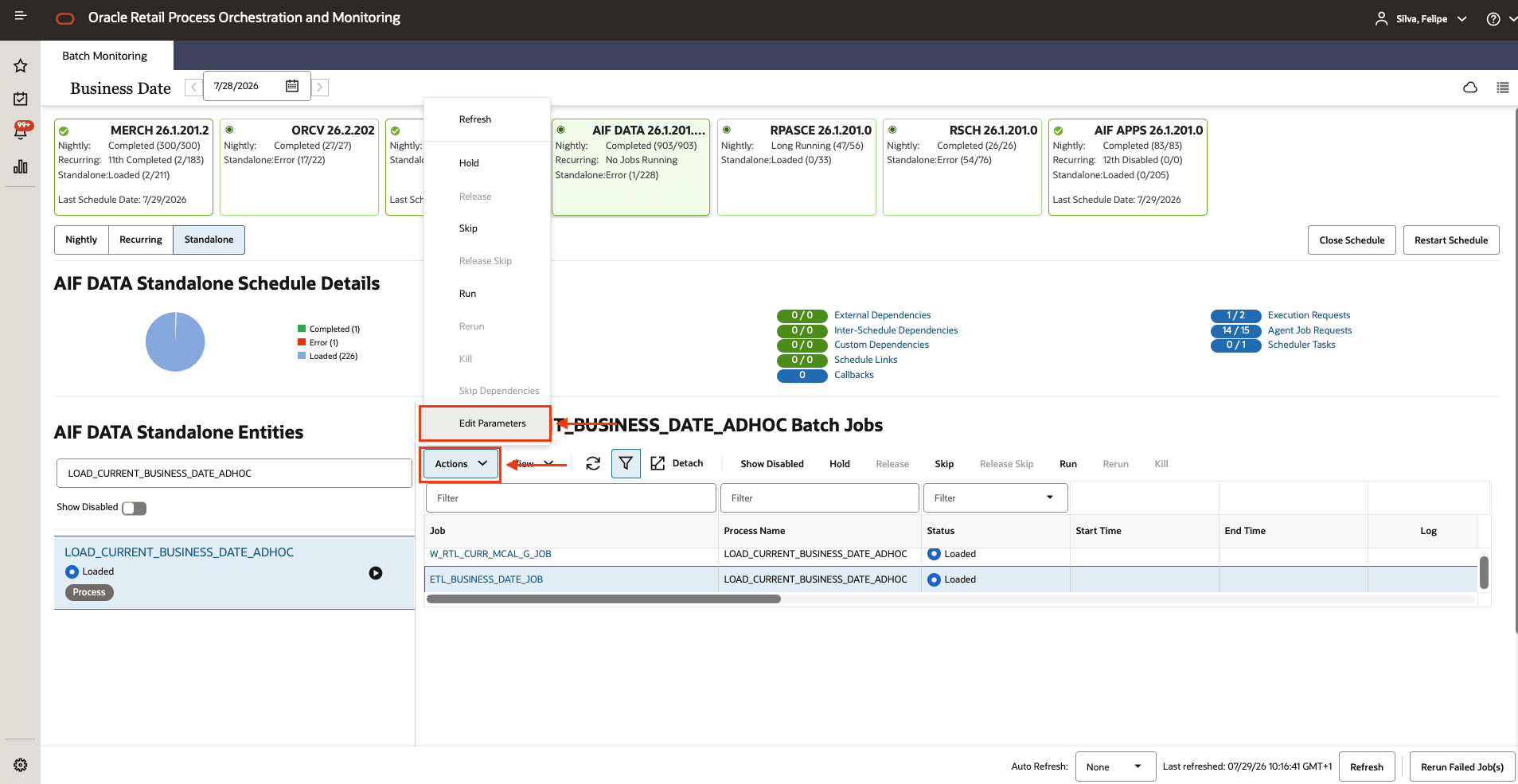
Select the AIF DATA scheduler, and the Standalone chain
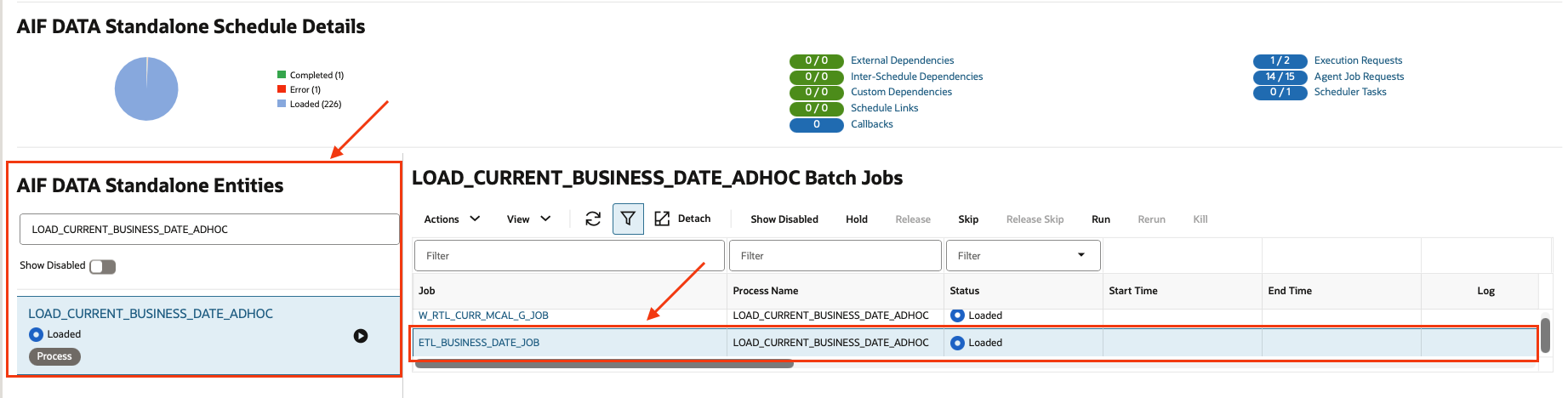
Using the filters type LOAD_CURRENT_BUSINESS_DATE_ADHOC and select the job called ETL_BUSINESS_DATE_JOB
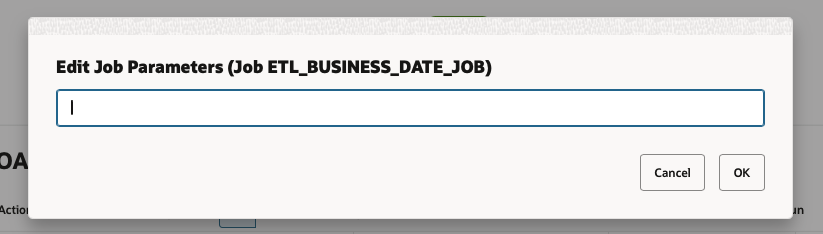
Then click on the button called “Actions” then “Edit Parameters”
Set the desired business date using the format YYYY-MM-DD
If you are starting an implementation, set the date 6–12 months before your historical data starts, for example:
if your historical data starts on 2024-10-27 for P&C, set the parameter to 2024-09-27.
P&C Parameters:
Initial Date: 20241027
Cutover Date(First Chunk): 20260719
After executing the process, check that the MCAL_NUM column on the row where MCAL_TYPE = 'DT' has the same value as the parameter you set, and that MCAL_NEXT_NUM points to the next day correctly.
 If you are starting an implementation, set the date 6–12 months before your historical data starts, for example:
if your historical data starts on 2024-10-27 for P&C, set the parameter to 2024-09-27.
P&C Parameters:
Initial Date: 20241027
Cutover Date(First Chunk): 20260719
If you are starting an implementation, set the date 6–12 months before your historical data starts, for example:
if your historical data starts on 2024-10-27 for P&C, set the parameter to 2024-09-27.
P&C Parameters:
Initial Date: 20241027
Cutover Date(First Chunk): 20260719