Context
Runbook to load the retail calendar into AIF DATA through MFCS integration, instead of a file upload. The RDE extract reads the MFCS CALENDAR and SYSTEM_OPTIONS tables and populates the AIF staging table W_MCAL_PERIOD_DS, which the calendar load then builds into the dimension tables. Run it once the MFCS calendar is configured and the C_ODI_PARAM date range is set.
Quick access
- Configuration — the
C_ODI_PARAMdate range the calendar load uses.- Configure the jobs — enable/disable the right POM jobs.
- Run the RDE extract — extract the calendar from MFCS and validate staging.
- Run the calendar load — partition presetup, load, and validate.
Configuration
Review the following parameters in the C_ODI_PARAM table (scenario SIL_DAYDIMENSION) — see Initial setup - C_ODI_PARAM for the full setup:
| Parameter name | Value |
|---|---|
| START_DT | 20070101 |
| END_DT | 20351230 |
Configure the jobs
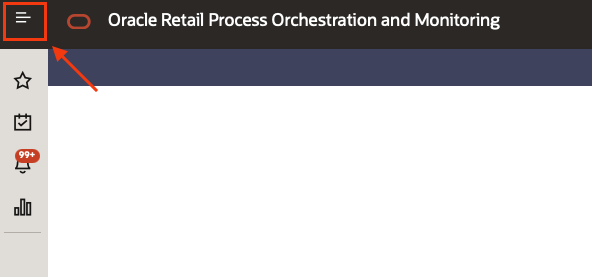
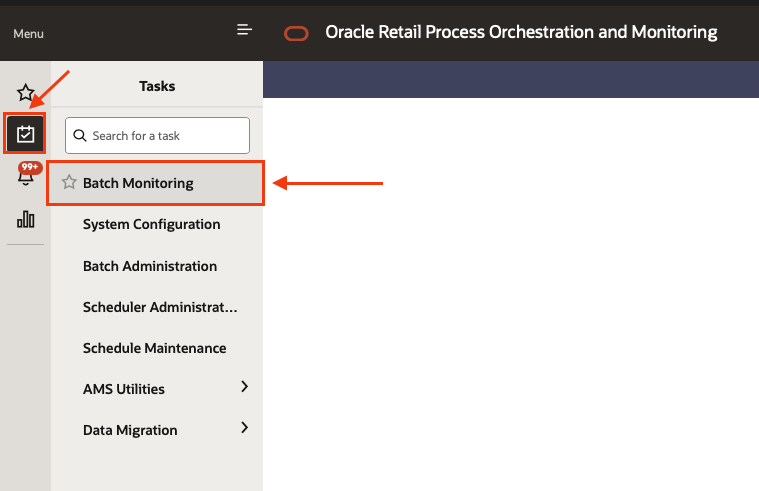
- Accessing POM click on the top left menu
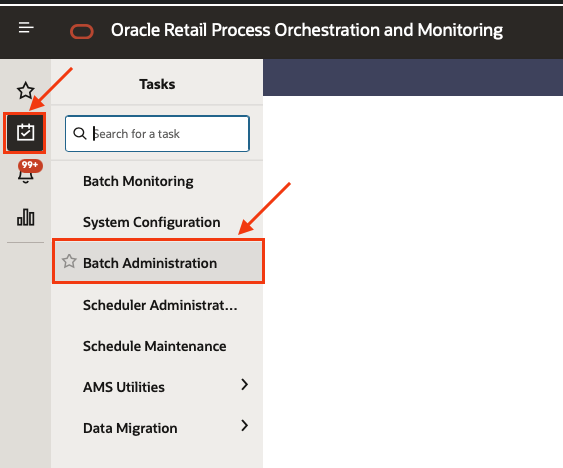
- Select the sub menu “Tasks” and then “Batch Administration”
- Select the “AIF DATA” scheduler and then the “Standalone” chain

- Look for the
RDE_DIM_FLOW_ADHOCprocess and enable only the following jobs:DELETESTATS_JOBRDE_EXTRACT_DIM_P12_MCALPERIODSDE_JOB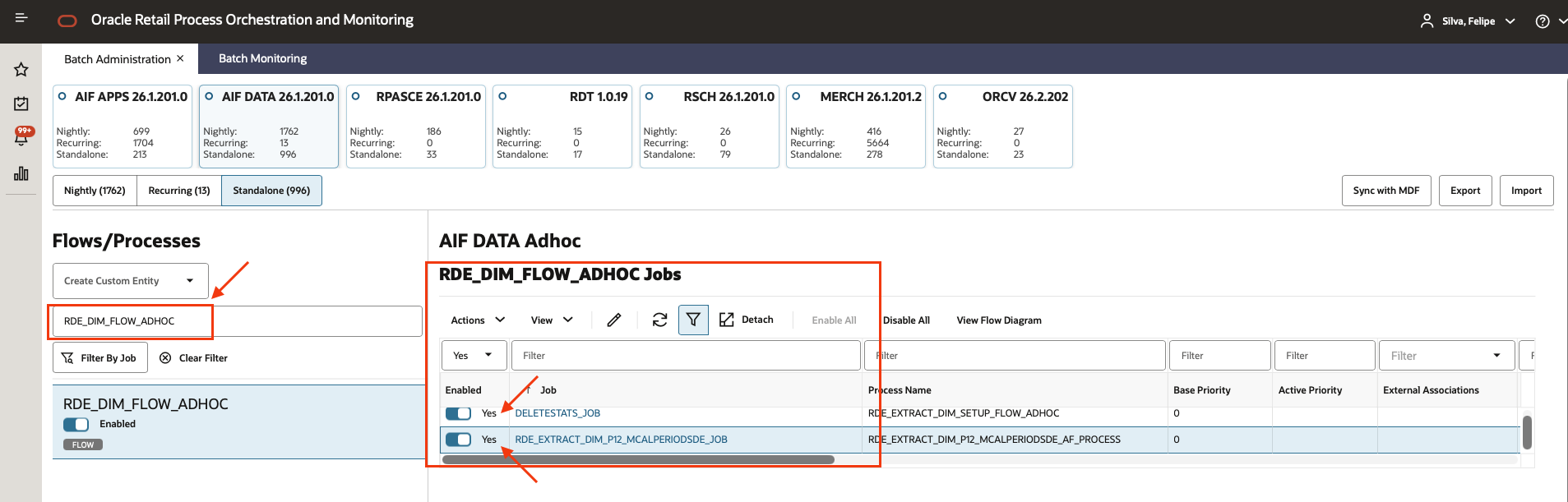
- Then look for the
CALENDAR_LOAD_ADHOCprocess and disable the following jobs:SI_W_MCAL_PERIOD_DS_JOBCOPY_SI_CALENDAR_JOBSTG_SI_CALENDAR_JOB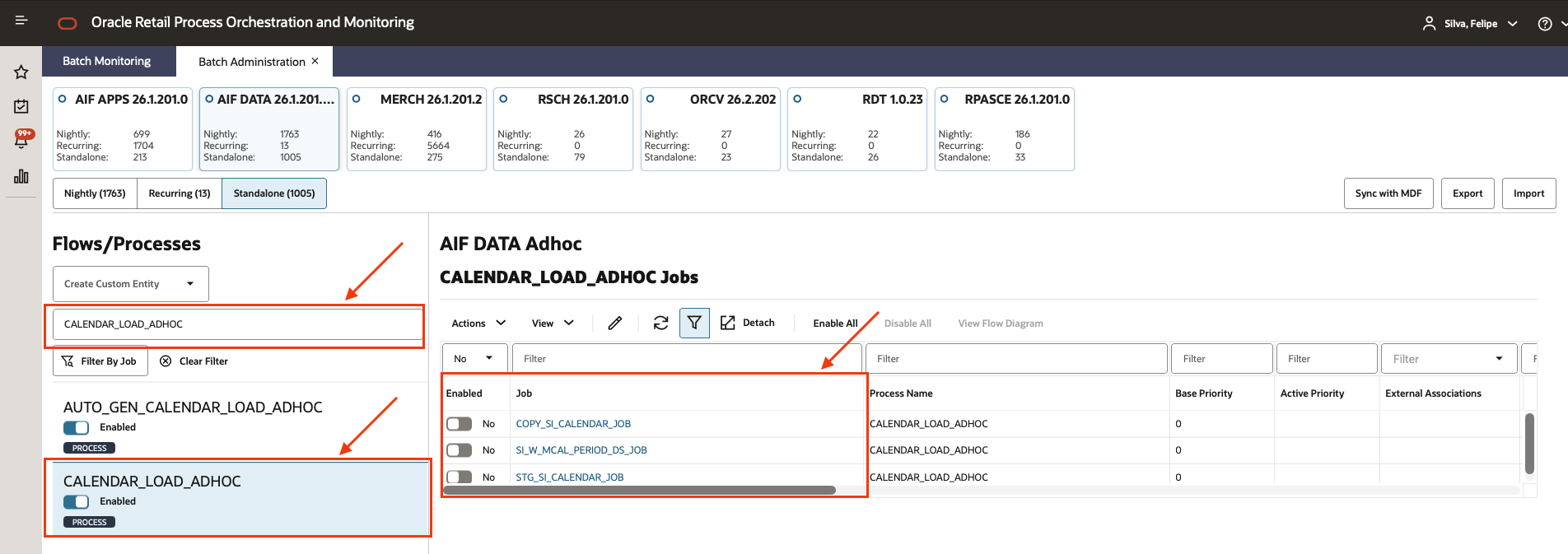
Run the RDE extract
- Click on the top left menu
- Select the sub menu “Tasks” and then “Batch monitoring”
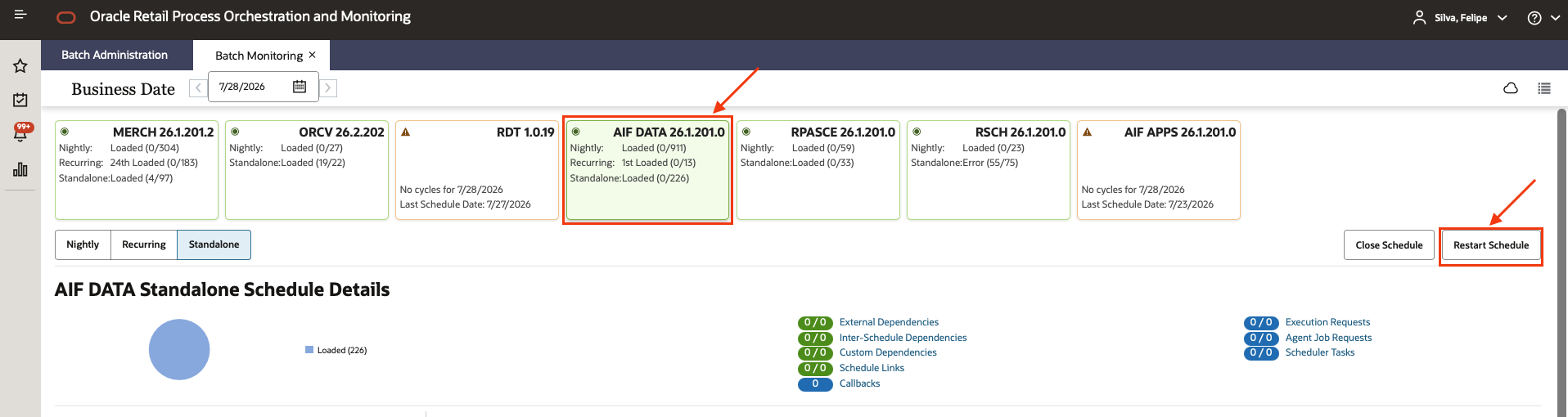
- Select the AIF DATA scheduler, and restart the schedule to apply the changes
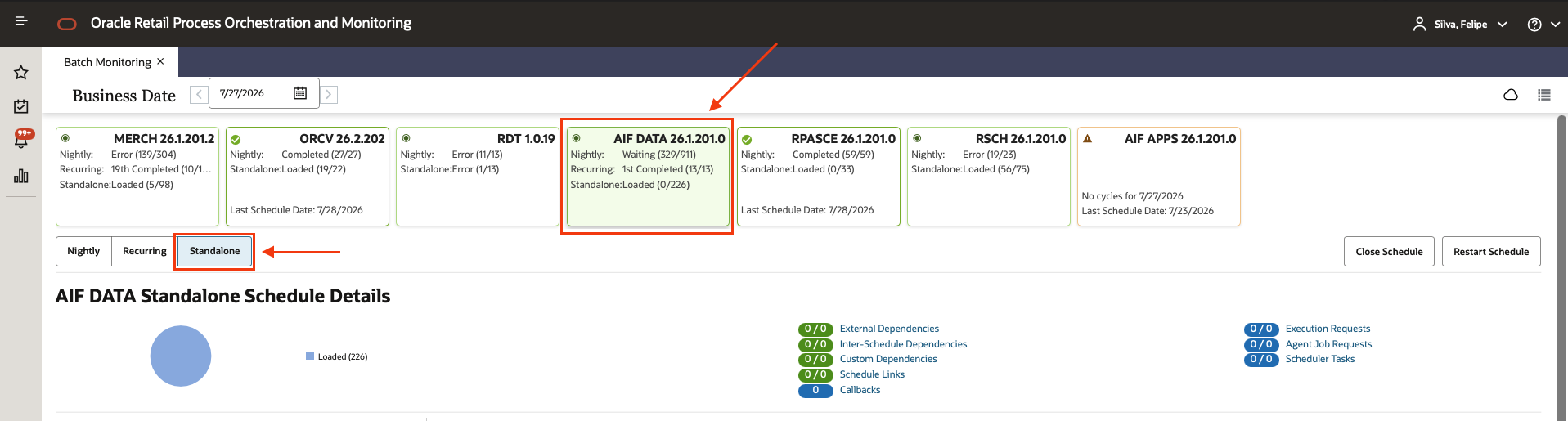
- After POM reload, select the AIF DATA scheduler on the Standalone chain
- Find the
RDE_DIM_FLOW_ADHOCprocess, verify the active jobs are correct, and press the start button.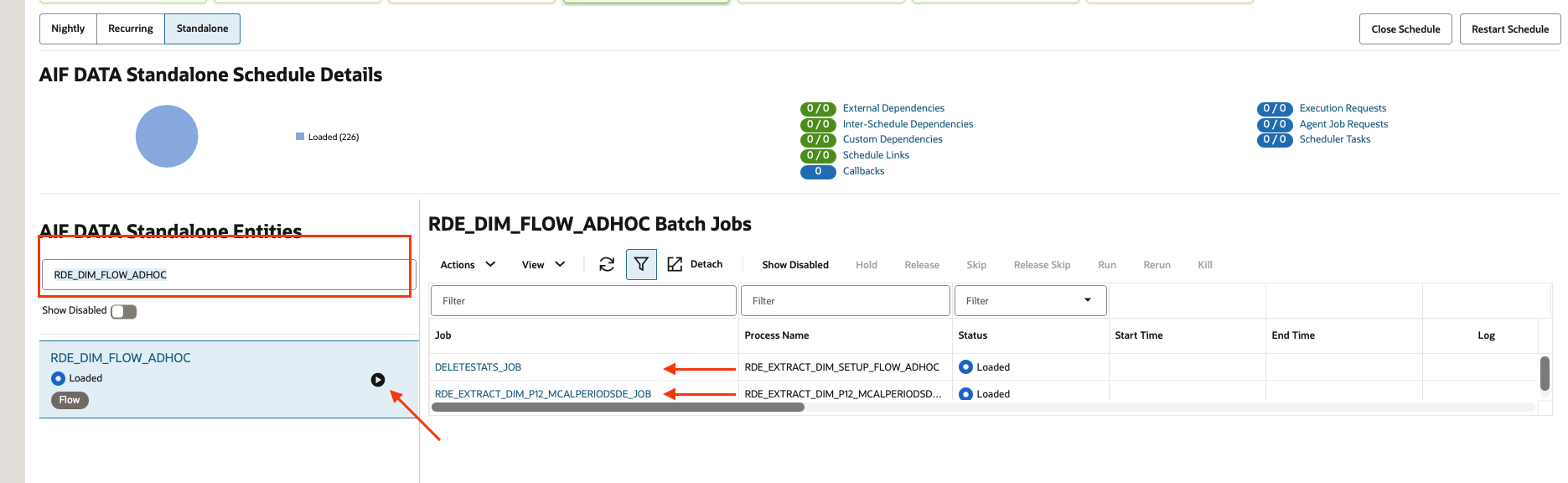 The job
 RDE_EXTRACT_DIM_P12_MCALPERIODSDE_JOBwill look on the MFCSCALENDARandSYSTEM_OPTIONStables to populate the AIF tableW_MCAL_PERIOD_DS. - After the execution finishes, perform the pre-load staging checks on AIF APEX.
Run the calendar load
- On the AIF DATA scheduler, Standalone chain, select the process
CALENDAR_LOAD_ADHOC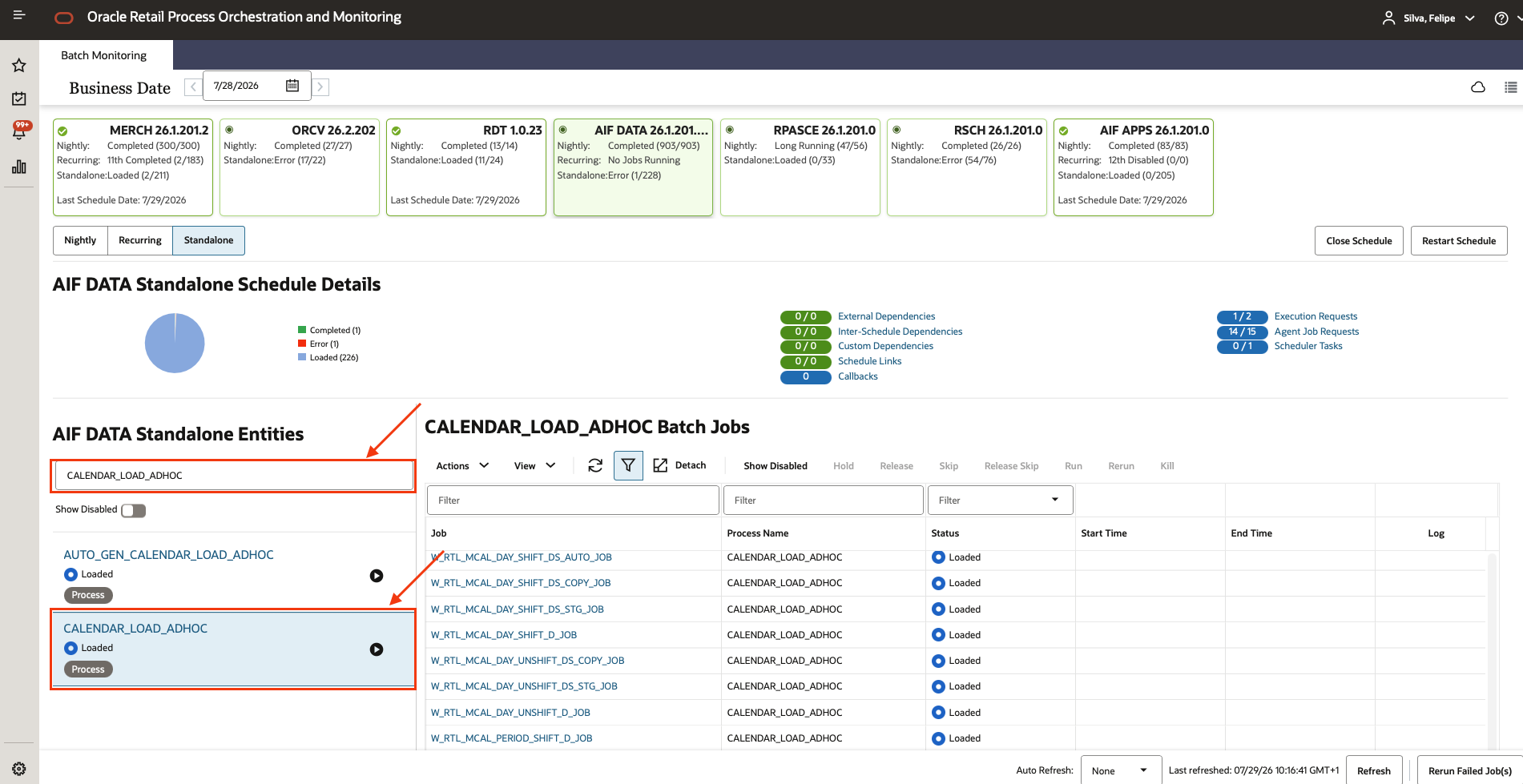
- Using the filters, find the job
CREATE_PARTITION_PRESETUP_JOB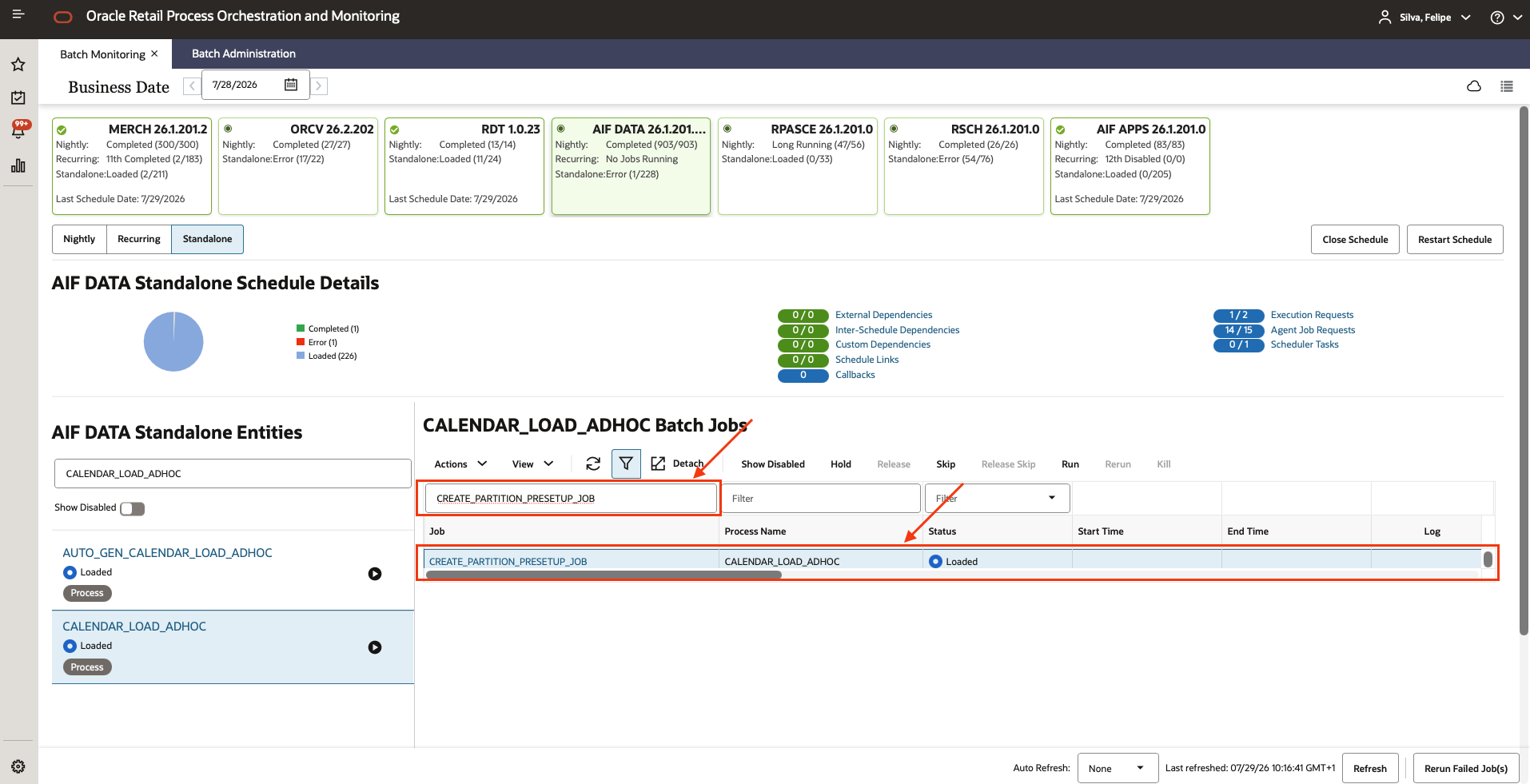
- Click on the “Actions” button and then on “Edit Parameters”
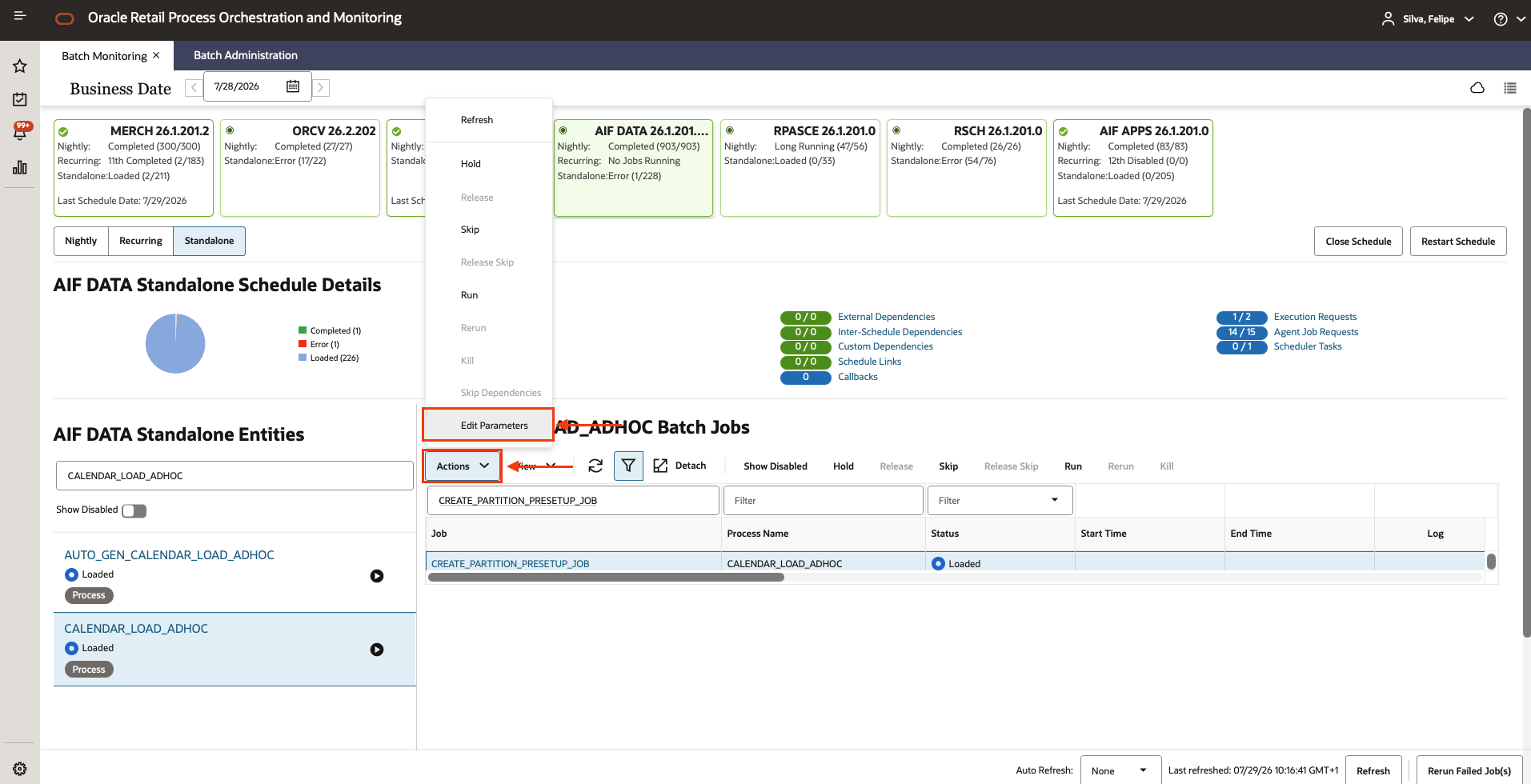
- Specify a date in
YYYY-MM-DDformat that is before the start of your historical data but still within the range of fiscal calendar periods you plan to load. Use the same date you chose in Business date setup (“6–12 months before your historical data starts”).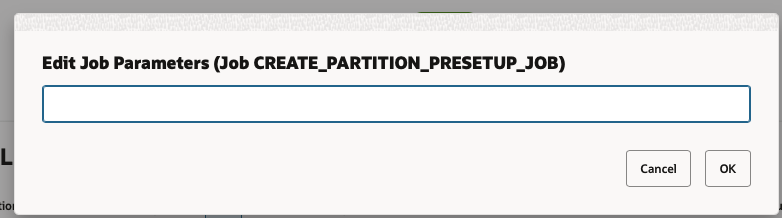
- Execute the process.
After the load completes, run these checks in AIF APEX:
- Confirm no warnings or errors are detected in
RI_DIM_VALIDATION_V:
select * from RI_DIM_VALIDATION_V- Check the number of records on the tables in the
Calendarsubject area:
SELECT t.table_name,
       CASE
           WHEN o.object_name IS NOT NULL THEN
               TO_NUMBER(
                   EXTRACTVALUE(
                       XMLTYPE(
                           DBMS_XMLGEN.GETXML('SELECT COUNT(*) AS c FROM ' || t.table_name)
                       ),
                       '/ROWSET/ROW/C'
                   )
               )
           ELSE NULL
       END AS row_count
FROM c_ri_subjectarea t
LEFT JOIN all_objects o
       ON o.object_name = t.table_name
      AND o.object_type IN ('TABLE', 'VIEW', 'SYNONYM')
WHERE t.subjectarea = 'Calendar'
ORDER BY row_count DESC NULLS LAST;
Then perform the post-load checks.