Context
The steps below clean the app-specific tables on AIF APPS, such as RSE, IO, PRO, PMO, etc. It is part of Environment cleanup process.
This truncates application data
The cleanup deletes the selected AIF APPS tables in full no data is preserved. Confirm you are connected to the correct environment and have the right parameters before running the job.
Quick access
- Data cleanup — run the AIF APPS cleanup job in POM with the right parameters.
- Examples — common parameter combinations.
- Verify the cleanup — row-count check on the
RASE01schema.
Data cleanup
This truncates the tables based on the entered parameters.
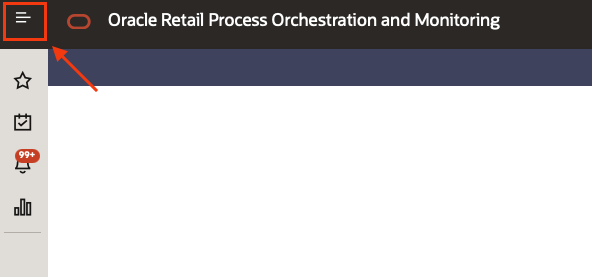
- Accessing POM click on the top left menu
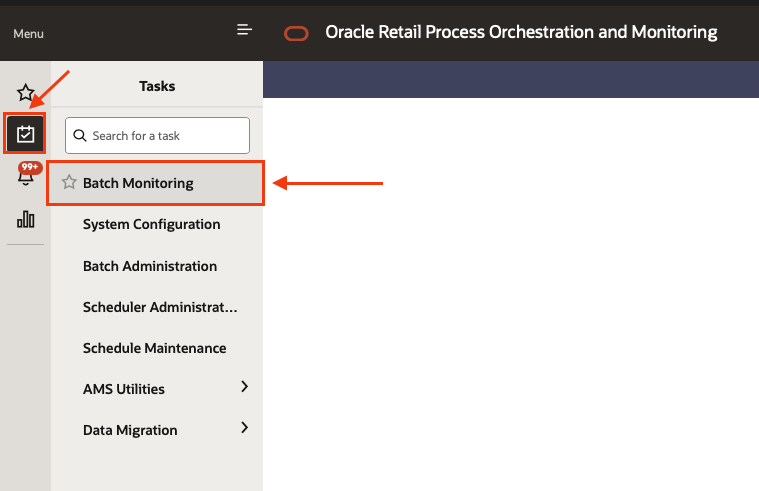
- Select the sub menu “Tasks” and then “Batch monitoring”
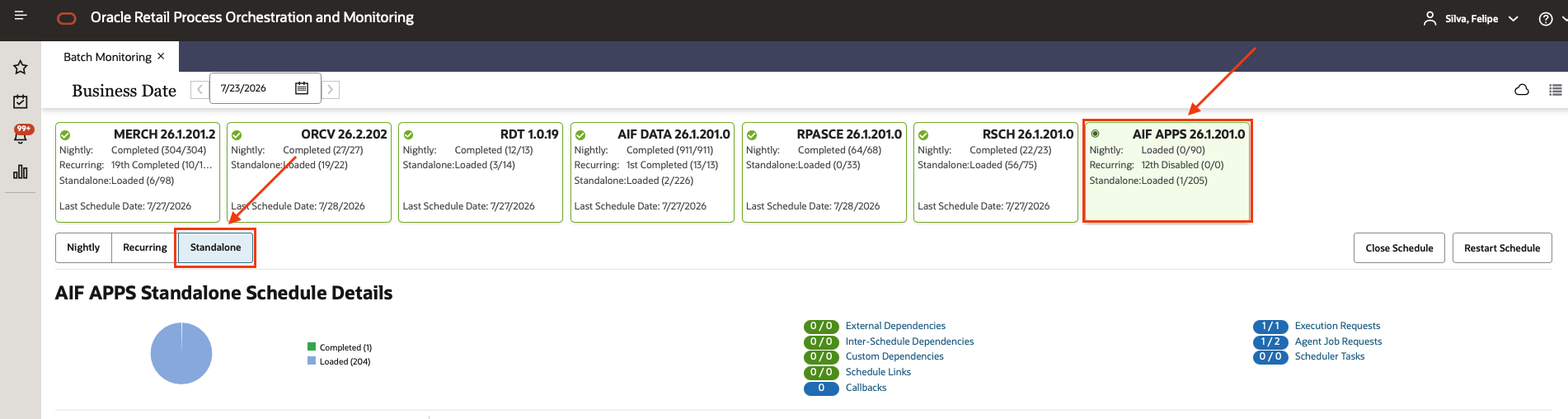
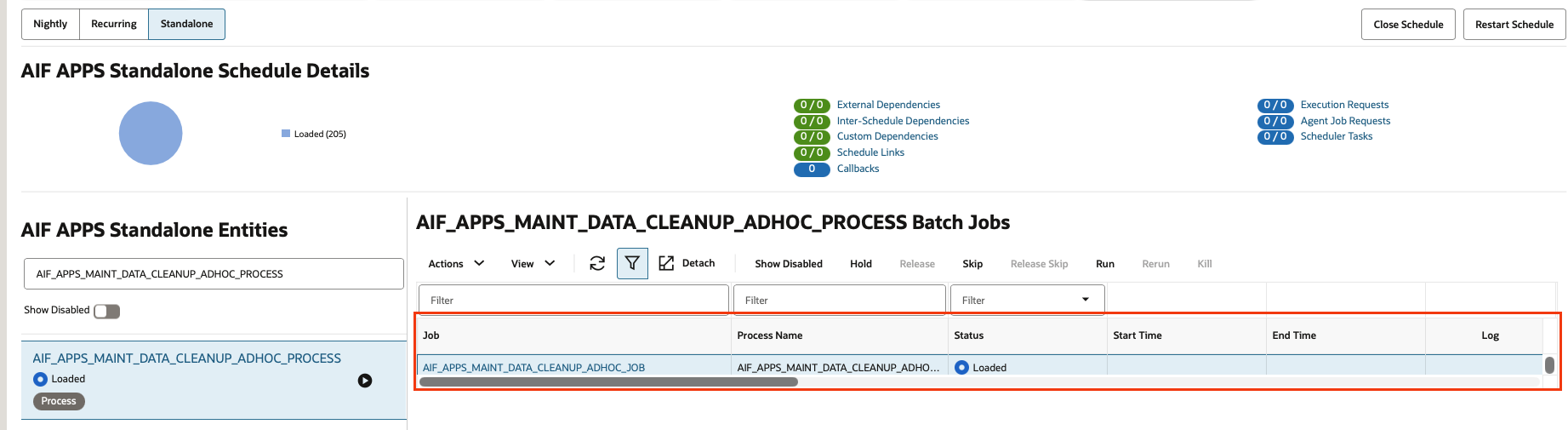
- Select the AIF APPS scheduler, and the Standalone chain
- Using the filters type AIF_APPS_MAINT_DATA_CLEANUP_ADHOC_PROCESS and select the process once it appears (Do not click the “play” button yet.)
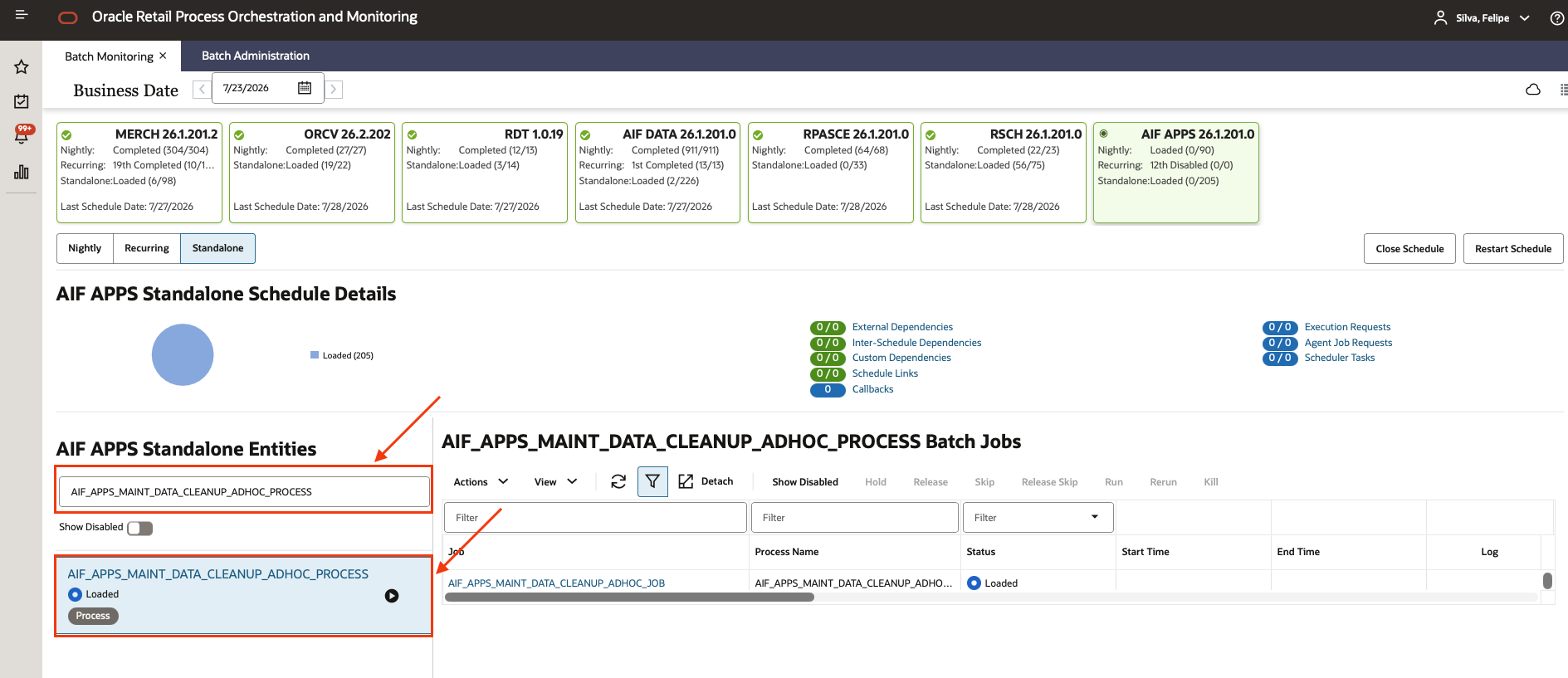
- Select the only job in this process called AIF_APPS_MAINT_DATA_CLEANUP_ADHOC_JOB
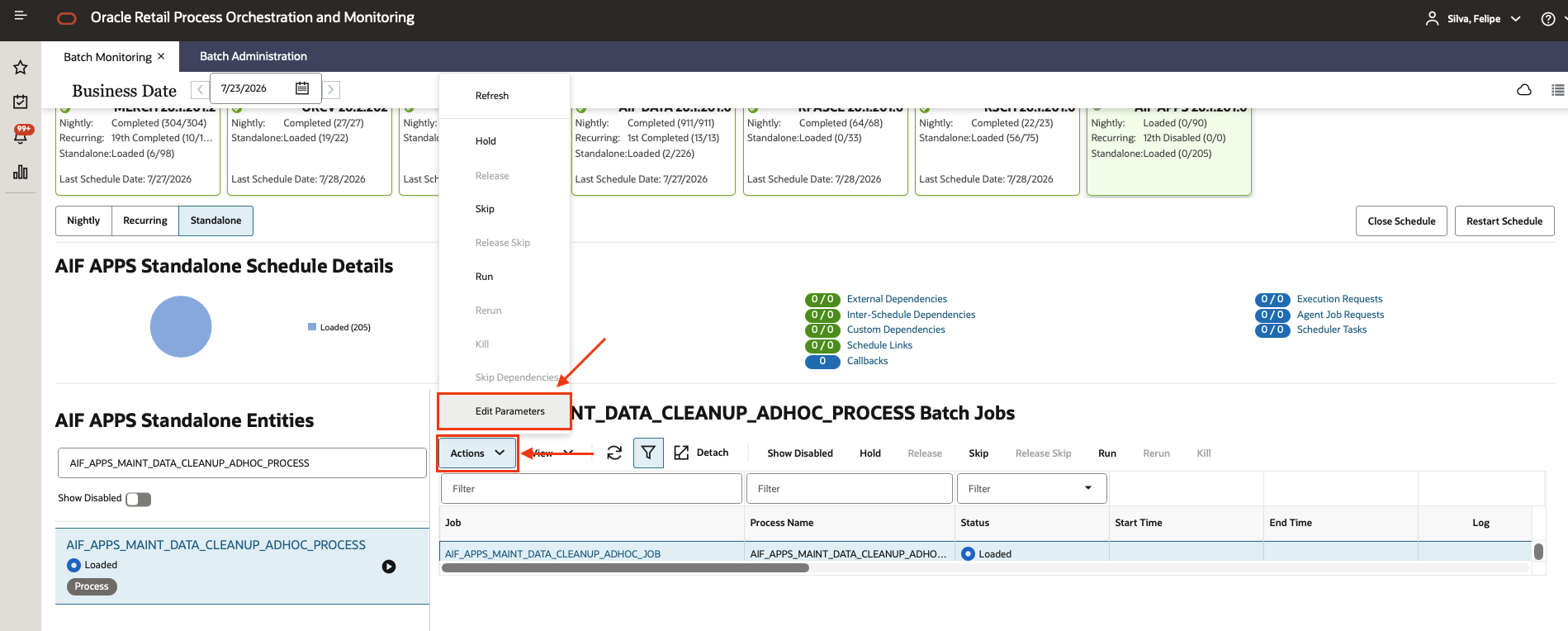
- Click in “Actions” and then “Edit Parameters”
- On the “Edit ” screen you will need to fill the parameters as below:
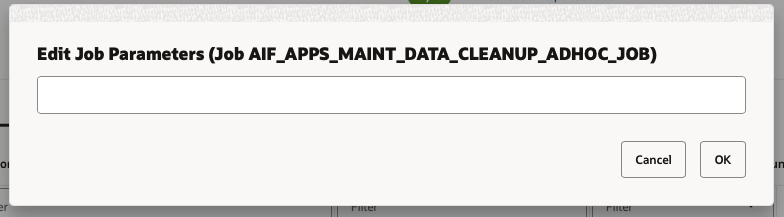
To clean up all the hierarchy tables together with dependent tables and app tables, add the following as the parameter in POM:
-h ALL -r Y -a ALL -o N
For other cleanup necessities check information below:
-h <input value> This parameter indicates which hierarchy type will be cleaned up (PRODUCT, LOCATION, CALENDAR, PROMOTION, or CUSTSEG).
Valid values:
ALL- All Hierarchy records will be cleaned up. This includes Product, Location, Calendar, Promotion and Customer Segment Hierarchies. Alternate Hierarchies are also included for location and product.PRODUCT- Product Hierarchy DataLOCATION- Location Hierarchy DataCALENDAR- Calendar Hierarchy DataPROMOTION- Promotion Hierarchy DataCUSTSEG- Customer Segment Hierarchy Data
Note
If this parameter is not indicated, no hierarchies will be cleaned up even if you are using the other parameters to clean app data.
-r <input value> This parameter indicates whether all tables referencing the hierarchy IDs directly or indirectly will also be deleted.
Valid values:
Y(Yes)N(No)
Default value is Y to ensure no stranded records will remain. This means any data referencing a hierarchy ID will be purged along with the hierarchy itself. All affected tables will be deleted in full; no data will be preserved.
-a <input value> This parameter indicates whether AIF application tables (such as for PMO, SPO, and so on) will be deleted.
Global Values:
ALL- All application tables will be cleaned up.NONE- Application tables will NOT be cleaned up.
Default value is ALL to avoid any stranded records that will no longer work after data is purged. This parameter can also be used to clean up specific application tables that reference the hierarchies (directly or indirectly).
Application Values:
CDT(Customer Decision Tree)CIS(Advanced Clustering & Segmentation)DT(Demand Transference)IO(IPO - Inventory Optimization)MBA(Affinity Analysis / Market Basket Analysis)PMO(Lifecycle Pricing Optimization –PMO_*tables)PRO(Lifecycle Pricing Optimization –PRO_*tables)RODS(Retail Operational Data Store)SO(Space Optimization)SPO(Size Profile Optimization)
-o <input value> This parameter is to indicate whether ONLY the application data will be deleted, but not any hierarchies.
Valid values:
Y(Yes)N(No)
Note
Application Data parameter (
-a) should also be indicated. Default value isNif not indicated. PMO and RODS don’t have specific app tables, hence they are not covered by this option. All affected tables will be deleted in full; no data will be preserved.
Examples
To clean up only the location hierarchy tables together with AIF Apps dependent tables and app tables, add the following as the parameter in POM:
-h LOCATION -r Y -a ALL -o N
To clean up only the application tables:
-a ALL -o Y
Verify the cleanup
After executing the process check the row count on the RASE01 schema, run this in APEX:
SELECT t.table_name,
       TO_NUMBER(
           EXTRACTVALUE(
               XMLTYPE(
                   DBMS_XMLGEN.GETXML('SELECT COUNT(*) AS c FROM ' || t.owner || '.' || t.table_name)
               ),
               '/ROWSET/ROW/C'
           )
       ) AS row_count
FROM all_tables t
WHERE t.owner = 'RASE01'
ORDER BY row_count DESC NULLS LAST;